Mullion Projects
Build and renovate.
From estimate to execution.
Estimates, bids, contracts, schedules, site reports, change orders and payments in one construction workspace.
See Mullion Projects →
Manage estimating, projects, site activity and construction documentation in one connected workspace, with more Mullion tools on the way.
Plays with sound · captions on screen · real Mullion Projects screens with a fictional demo company.
Mullion Works is building a connected platform for construction projects, property operations, field activity and resource coordination. Mullion Projects is the place to start.
Estimates, bids, contracts, schedules, site reports, change orders and payments in one construction workspace.
See Mullion Projects →Capture daily reports, photos, inspections and site activity from the field.
Request early access →Crew scheduling, site assignments, equipment tracking and trade coordination. Currently in pilot.
Ask about the pilot →Property operations, maintenance and tenant workflows are coming to Mullion Works.
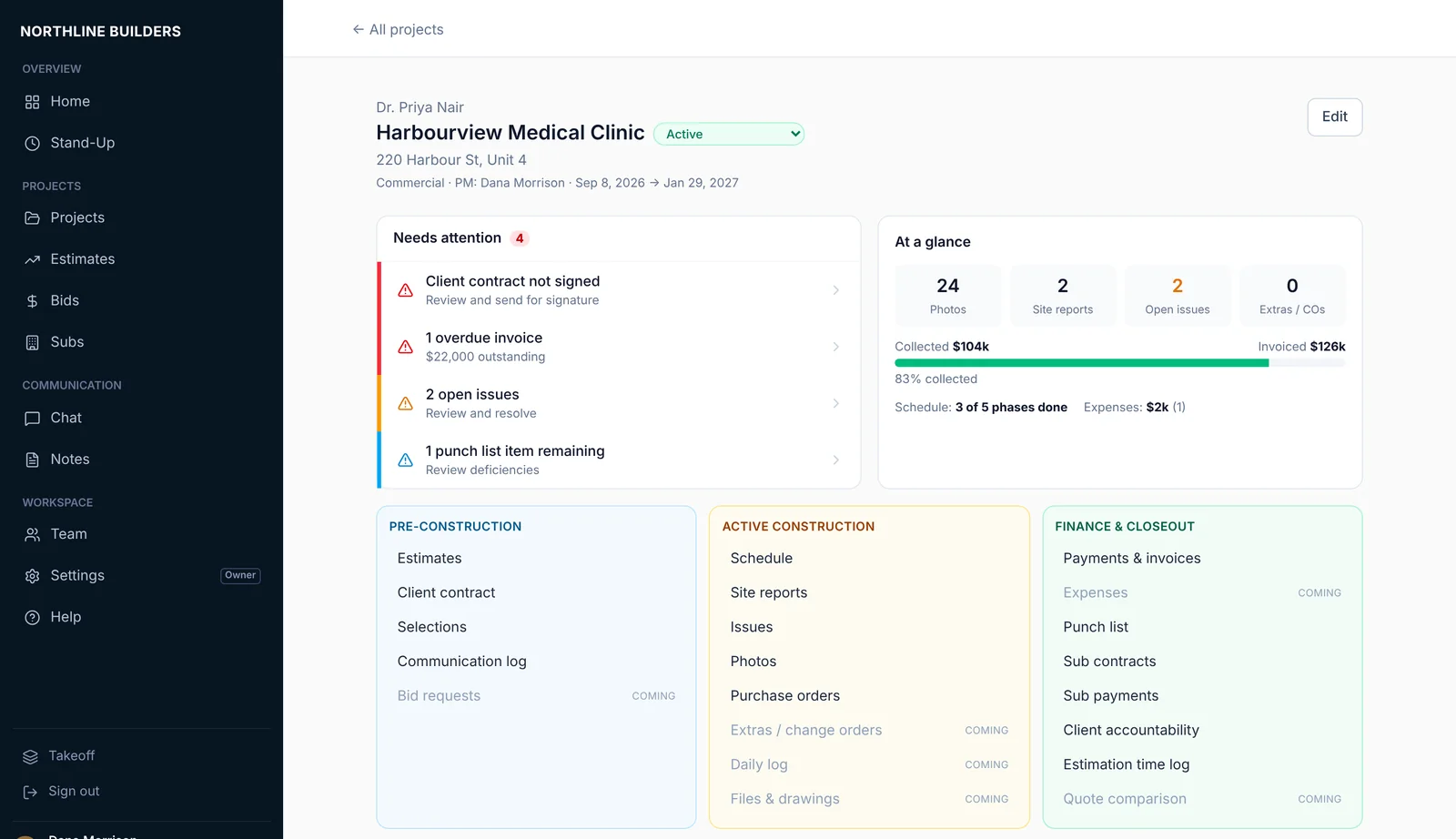
Join the waitlist →Manage the work from bid through closeout in one connected construction workspace. Each project keeps its estimate, contract, schedule, site reports and payments in one place, instead of spread across spreadsheets, email and text messages.
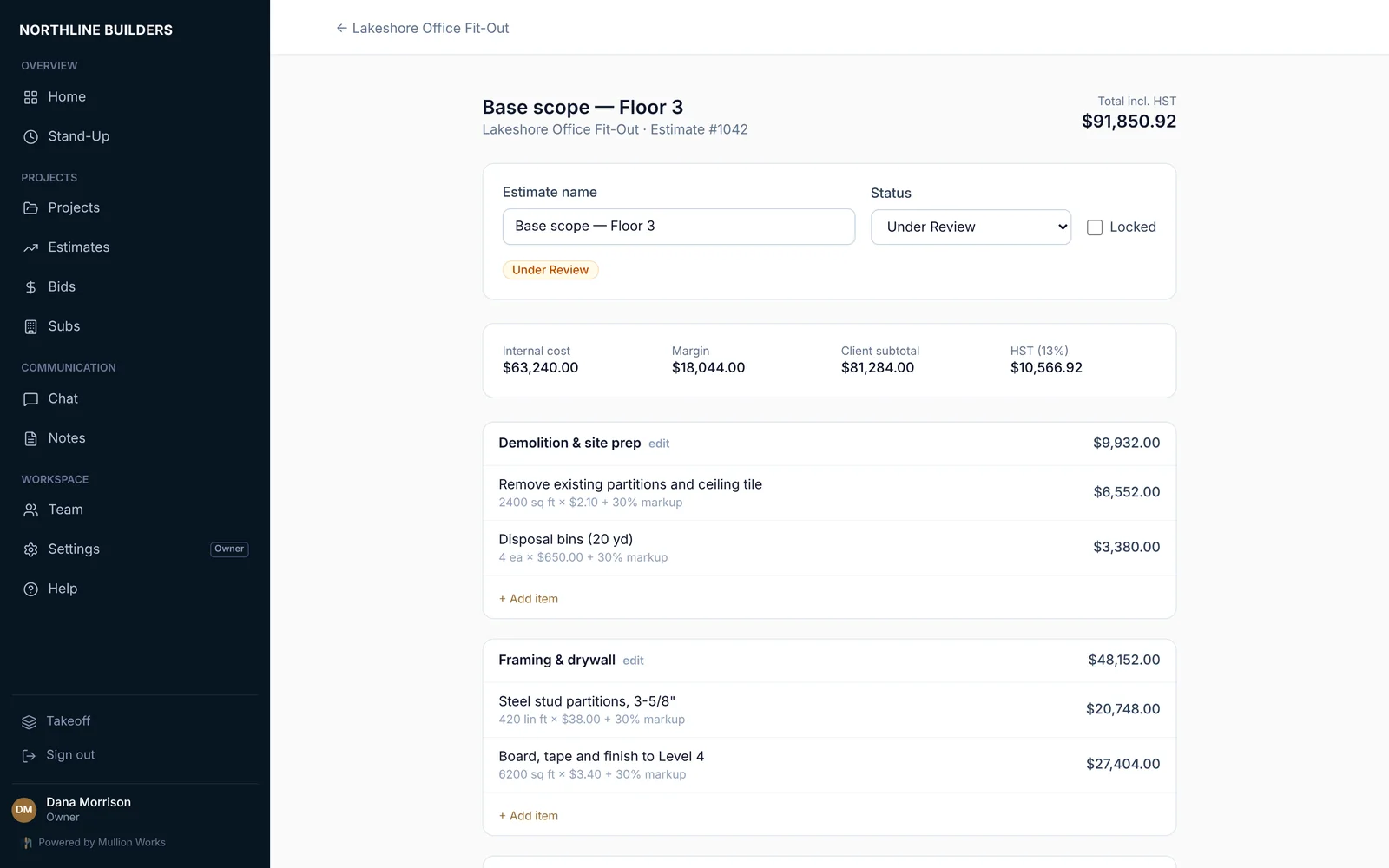
Price by section and line item with your markup applied. Your team sees internal cost and margin. The client sees the price. You can hide the price on a single line and it still counts in the total.
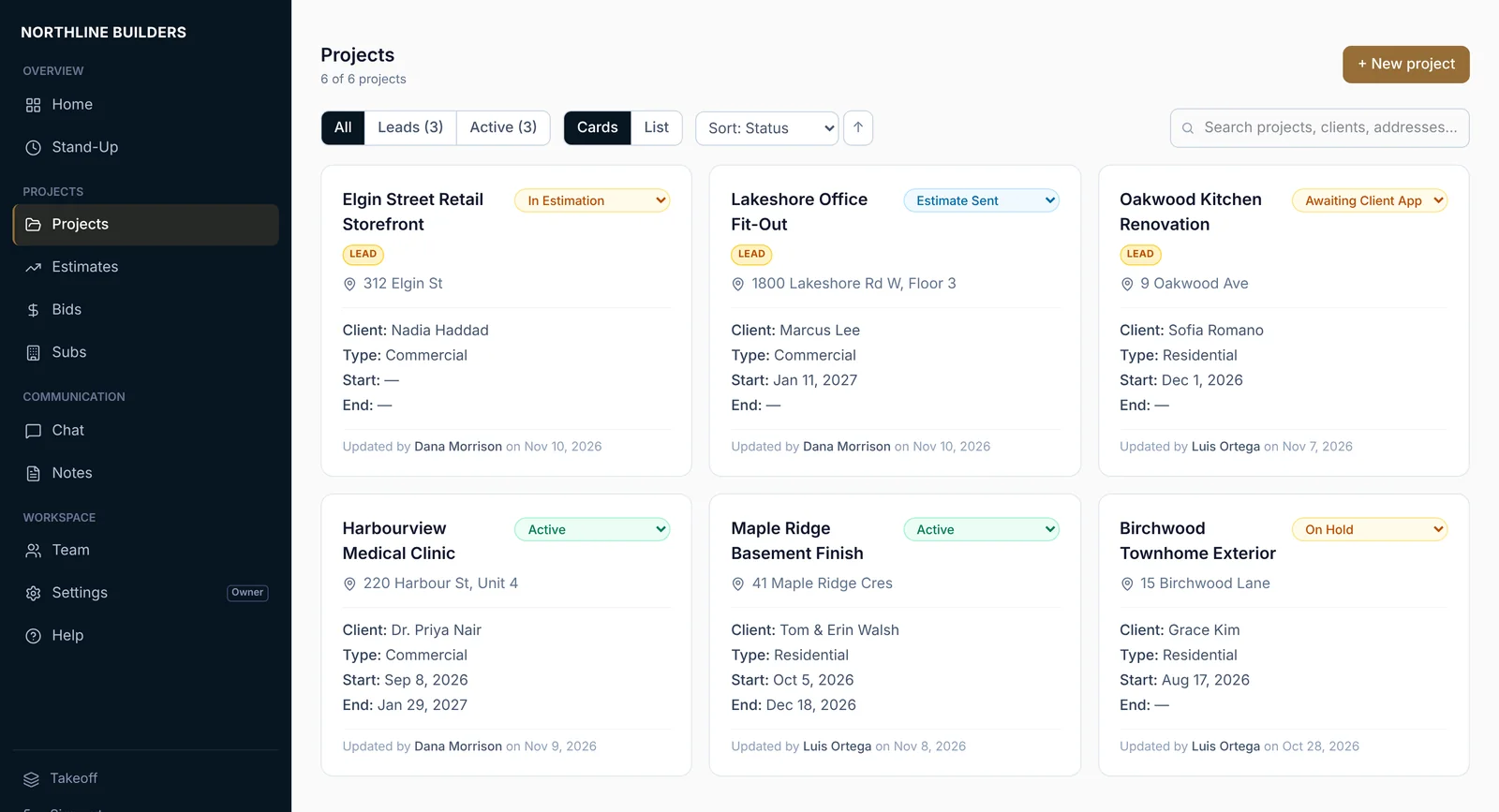
Leads and active jobs with their status, client and dates. Change a status from the list and the rest of the team sees it straight away.
A sub has cancelled, an invoice is two weeks overdue and a client wants a call. The details are in texts, email and a spreadsheet.
With Mullion: each project lists what needs attention, such as unsigned contracts, overdue invoices, open issues and punch items.
There was a weather hold, a late delivery and a client decision that took eleven days. Now the client is asking for an explanation in writing.
With Mullion: the delay log, client accountability log and dated site reports already record what happened and when.
The ceiling grid won't clear the duct run. The PM needs to know before the weekend, with photos.
With Mullion: the supervisor logs the issue with photos from a phone, and the office sees it once it's saved.
When there's a dispute over time or money, dates matter. Mullion keeps a dated record on each project as the work happens, so you aren't rebuilding it from email later.
Every delay by phase, with dates, cause and days added. Print the summary when an extension or a claim comes up.
Who was there, what was seen and the site conditions, with photos attached.
Late decisions, missing information and scope changes, with the hours they cost.
Estimates and contracts signed by the client. Change orders approved before the work starts.
Your workspace uses your logo and colours. Estimates, contracts, reports and the client portal go out under your company's name, with a small "Powered by Mullion Works" line.
Information shouldn't disappear between estimating, construction, field activity, maintenance and property operations. Mullion Works is being designed to keep the history of the work connected.
This is the product direction. Mullion Projects is available today; Mullion Property is coming soon, and the full property-to-project hand-off is being built in stages.
Each company's data is kept apart by the database itself, not just hidden on screen. Other companies on Mullion can never see your projects or numbers.
Everyone signs in with their own email and password. Owners, project managers, coordinators, subcontractors and clients each see what their role allows.
Data is encrypted in transit and at rest, with version history and a nightly backup of every company's records.
Mullion started as the system an Ontario general contractor built to run its own projects. After twenty years in the trade, the team wanted software that handled estimates, subs, change orders and delay claims the way they actually happen.
It is used every day on live projects for estimates, contracts, site reports, schedules and payments. Mullion Works was set up to offer it to other builders, and next to the people who operate and maintain buildings.
Tell us a bit about your company and we'll walk you through Mullion Projects using a job like yours. We can also tell you where Field, Dispatch and Property are at.
Prefer email? info@GoMullion.com